1 · Your cluster
Mirops watches what runs
An operator inside your cluster maps every app, service, disk and route — and what each one depends on.
- Apps
- Services
- Routes
- Disks
- Config
- Nodes
- Add-ons
mirops operatorClusterMirrorEKS · AKS · GKE · on‑prem Miropslive mirror
The live Kubernetes Cluster Mirror
Mirops mirrors your Kubernetes cluster live — every workload, volume and add-on, and what depends on what. When something fails, you already know its blast radius.
Open source under Apache-2.0 · on-prem, EKS, AKS, GKE
How it works
Mirops keeps an always-current picture of what's running and what depends on what. Your pipeline checks each change against it, and stops the ones that would break production.
An operator inside your cluster maps every app, service, disk and route — and what each one depends on.
mirops operatorClusterMirrorEKS · AKS · GKE · on‑premdefault.miropsS3 · Azure Blob · PVCPick a change you're about to deploy — manifests, Helm or a Terraform plan — and watch the pipeline check it against the live map.
delete service/checkoutMirror operations
Install once, create one small resource, and the operator keeps a model of your cluster up to date — no agents on your nodes, and reading it never touches the cluster.
Helm installs the operator. A ClusterMirror resource says what to mirror and where to write the report.
Workloads, services, config, volumes, nodes and add-ons become a dependency graph, rebuilt every interval — 5 minutes by default.
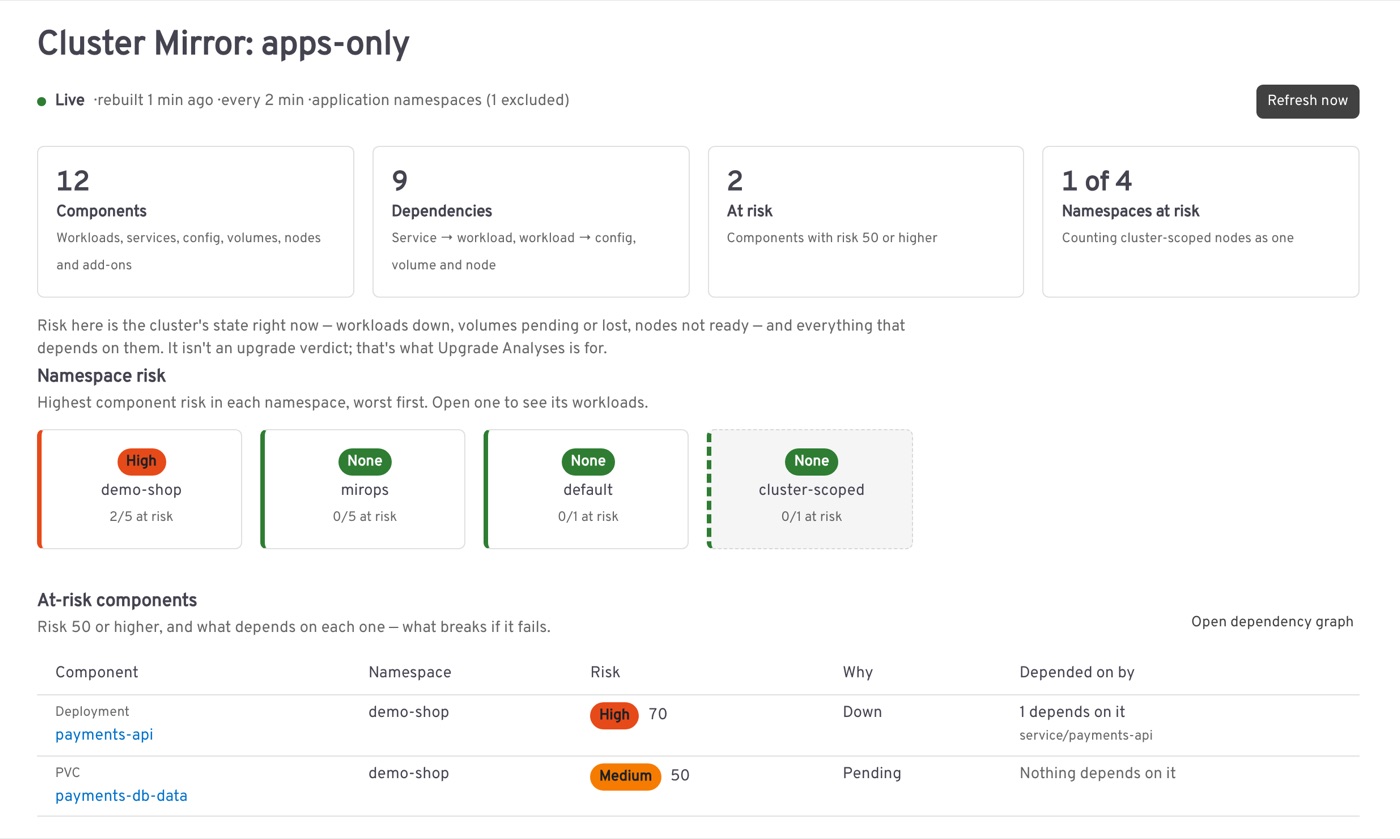
Risk from anything down, pending or lost flows to everything that depends on it, and adds up per namespace.
Headlamp, kubectl get clustermirror, mirops scan -n payments in a pipeline, or the report in S3, Blob or a PVC.
In Headlamp
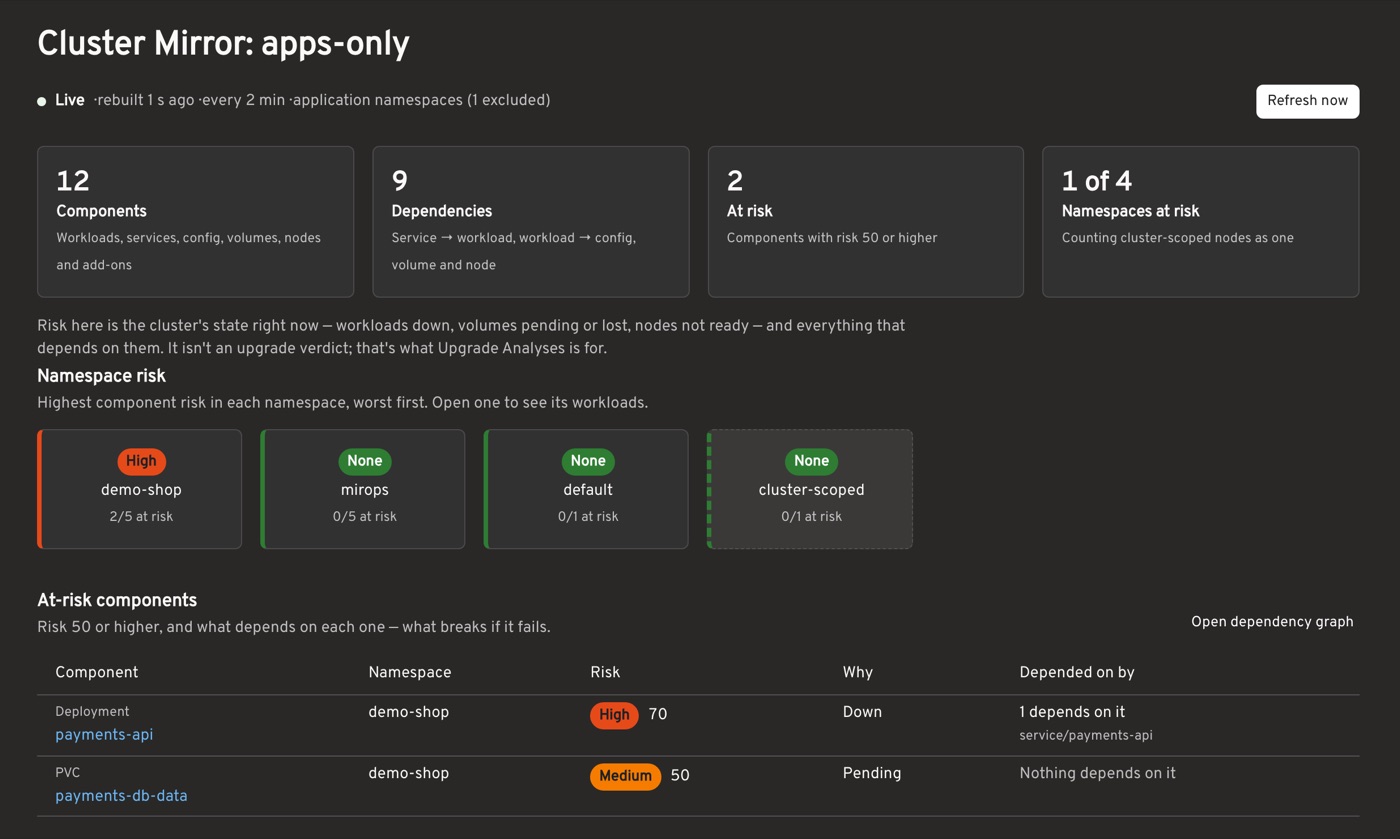
The Headlamp plugin opens on the mirror. Everything on it comes from the same report your pipelines read.
Upgrade analysis · opt-in
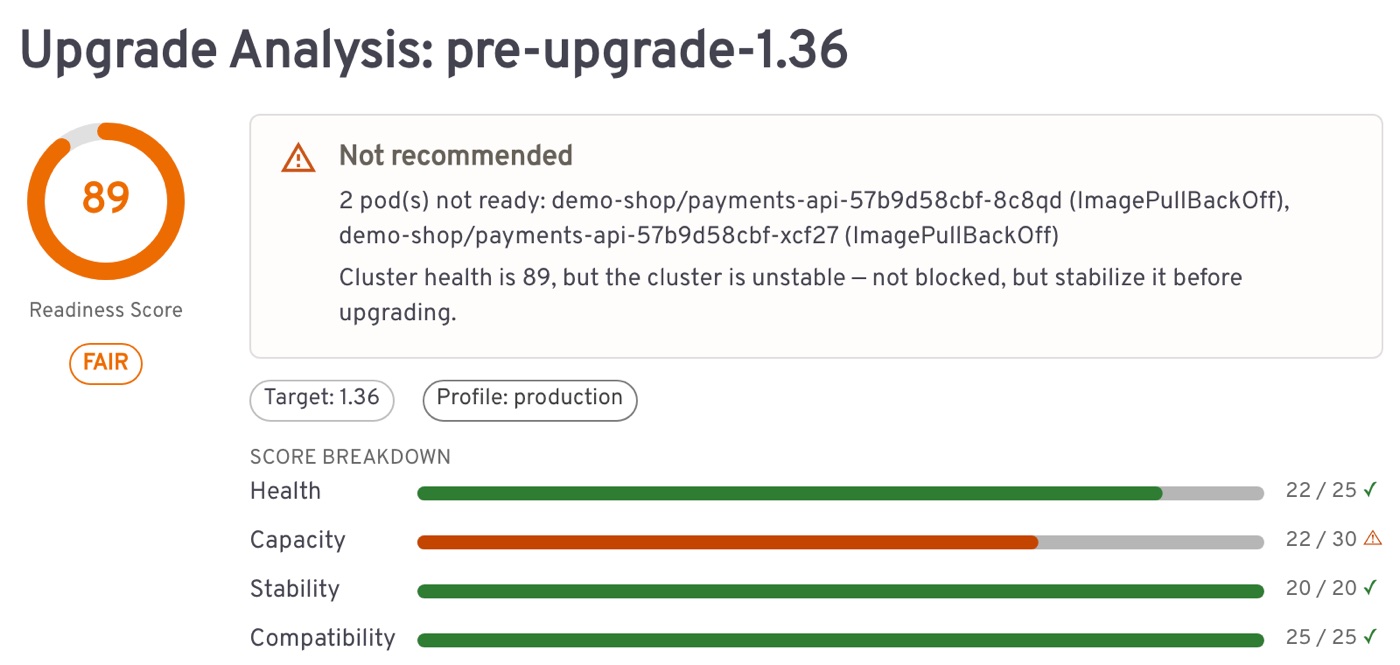
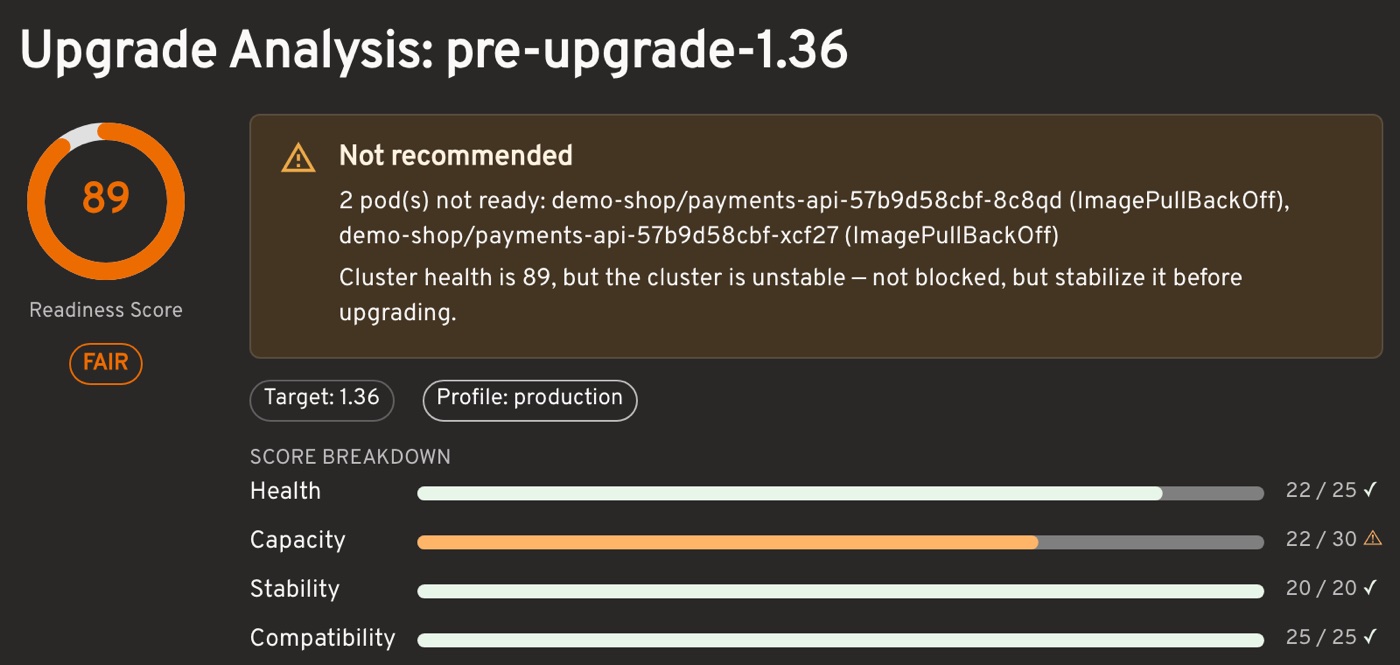
The mirror runs all the time. Turn on upgrade analysis and it reads the same mirror against the next Kubernetes version.
upgrade.enabled=trueIn CI, mirops scan --enforce gates on the verdict — and skips itself once the cluster runs the new version.
Report destinations
The mirror rewrites its report on every rebuild, so the same URL always holds the latest one. Remote destinations keep no copy in the pod; the operator reads them back when Headlamp asks.
Inside the operator pod, served in-cluster over HTTP. Good to start.
default.miropsRead from any pipeline. IRSA on EKS, or static keys.
s3://reports/prod/default.miropsWorkload Identity on AKS, or a service principal.
azure://acct/reports/default.miropsOn-prem and persistent, with no cloud storage needed.
/mnt/mirops-reports/default.miropsOpen source
mirops is Apache-2.0 and self-hosted today.
A live mirror of your cluster, and upgrade readiness when you need it.
Freeself-hostedInstallBusiness tags (mirops.io/service, mirops.io/criticality) so the blast radius names the services you'd touch.
The deploy check on every pull request, so a change that breaks what's running is caught before it merges.
The mirops ecosystem
mirops means mirror + ops: a live model of the cluster where dependencies and propagated risk are visible — every day, and before an upgrade changes the live system.
Install the open source stack
Install the chart, create a ClusterMirror, and read it from Headlamp or any pipeline. Turn on upgrade analysis when you need it.
# install the operator
helm install mirops oci://ghcr.io/miropshq/charts/mirops \
  --namespace mirops --create-namespace --version 0.2.0

# start the mirror
kubectl apply -f cluster-mirror.yaml

# a namespace's state, from any pipeline
mirops scan --source s3://reports/prod/default.mirops -n payments